Start your 14-day free trial - no credit card required
Log inDescribe the job, add a photo or two, and the AI Estimator breaks the whole thing into line items, every task, the materials, and the quantities, so nothing gets missed. Review the suggestions, keep what fits, and set your own prices.
AI Estimator
Snap a photo, list what needs doing, and the AI Estimator breaks the whole job into line items, every task, the materials, and the labor hours. Pick what to keep, and the estimate is built in seconds. No more flat-rate guessing that eats your margin.
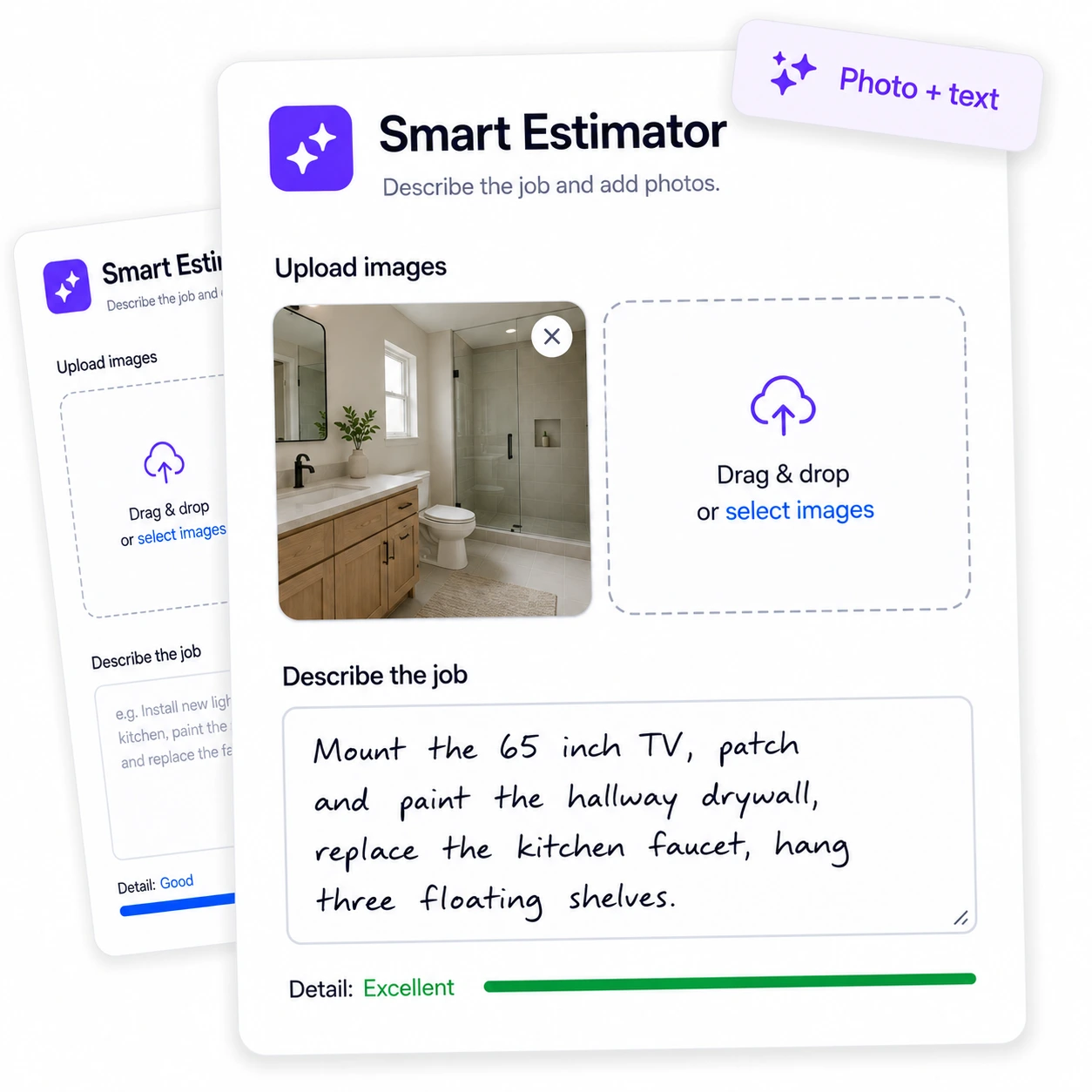
Punch list: mount the 65-inch TV, patch and paint the drywall hole in the hallway, replace the kitchen faucet, and hang three floating shelves in the office.
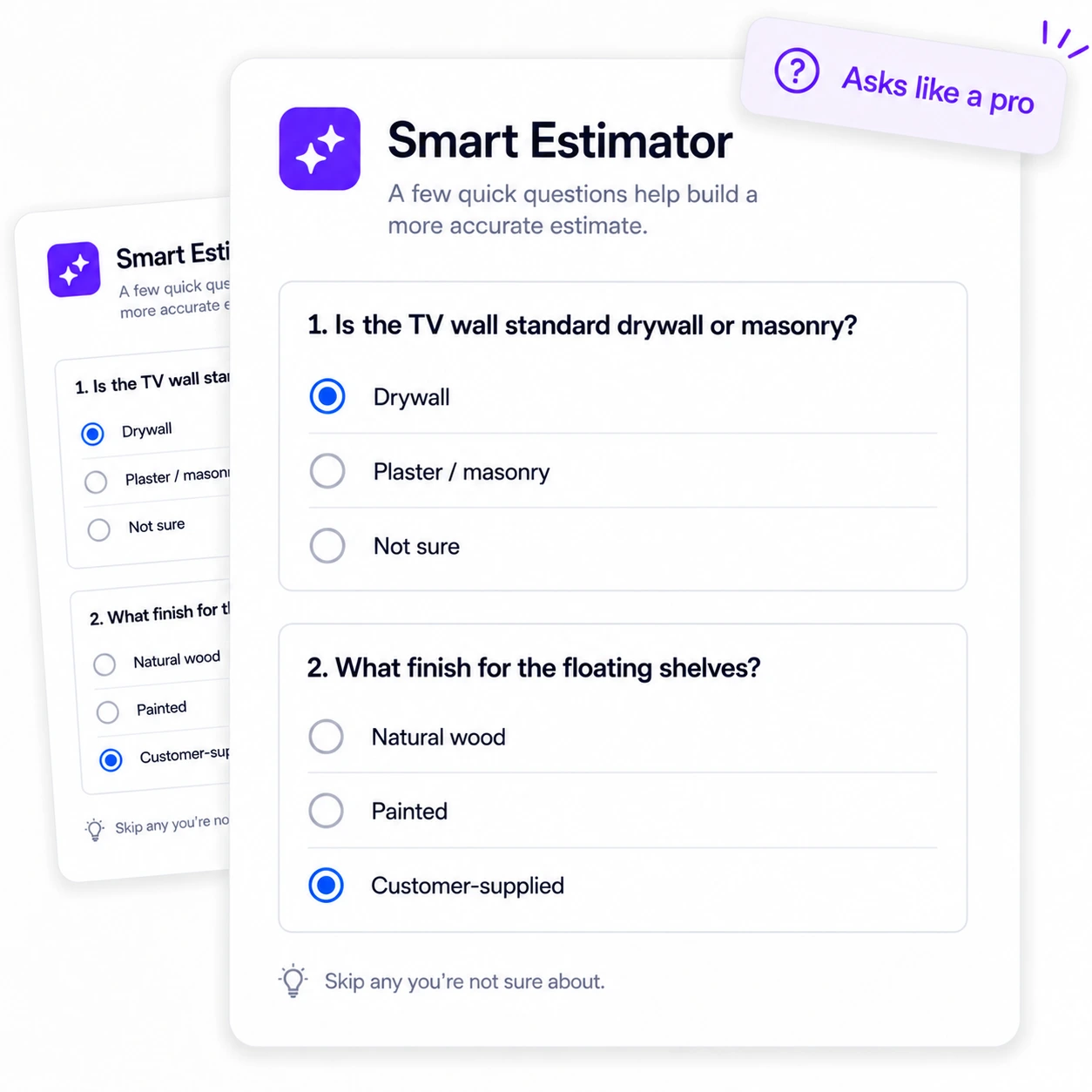
Is the TV wall standard drywall or plaster over masonry?
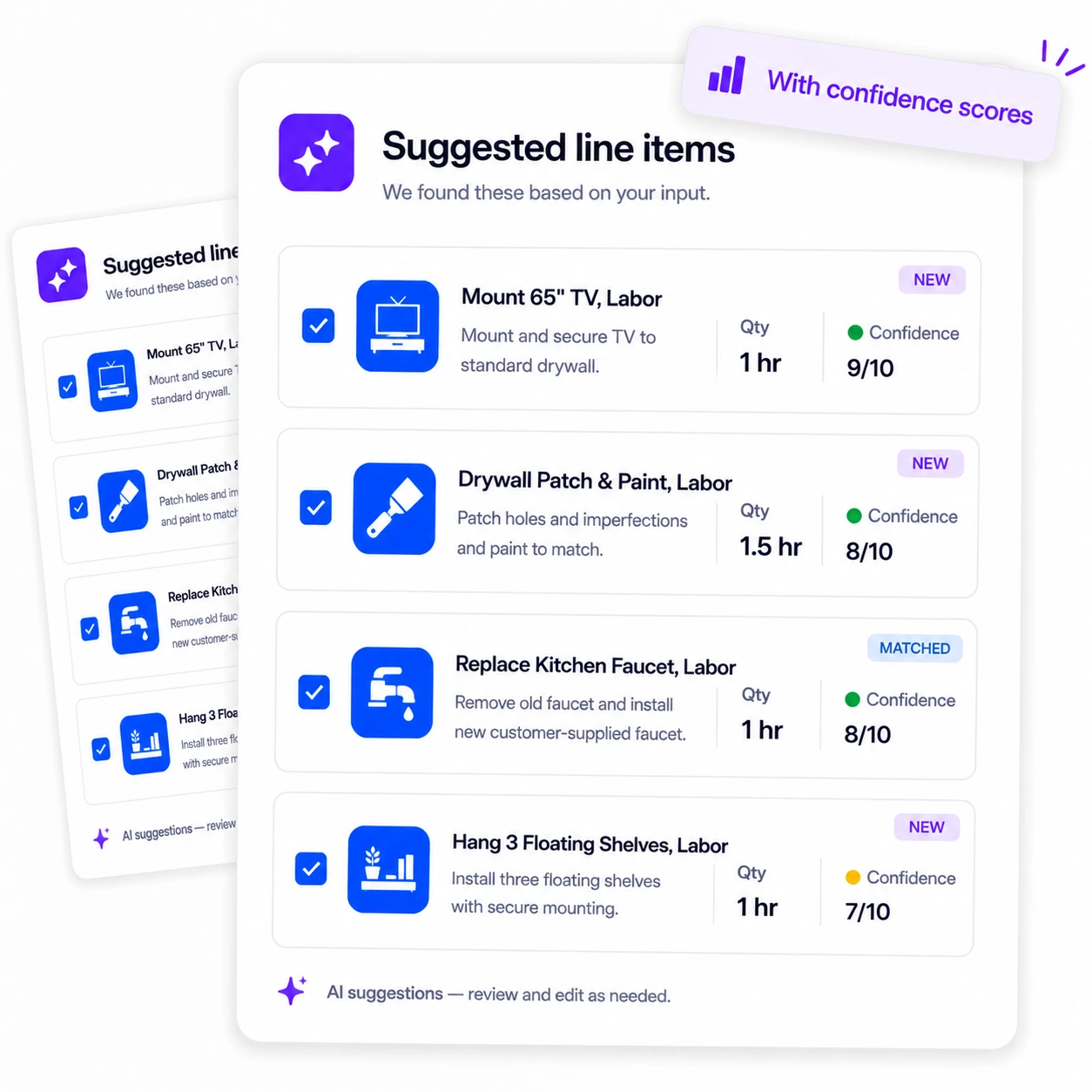
Suggested line items
Saved to Estimate
8 line items added
Most AI tools take a photo and spit out a number you can't trust. The Ryno AI Estimator works like a seasoned handyman looking over your shoulder. It reads the whole punch list, asks about the things that actually change the price, the wall type, the access, the parts, then breaks every task into its own line item with the materials and the labor hours. So you quote the real number instead of a flat rate that leaves money on the table.
Every suggestion uses your own services and materials when you have them, and creates new ones when you don't. You stay in control: review the line items, keep what fits, and save them straight to the estimate.
Describe It Your Way
There's no rigid form to fill out. Type the job in plain words the way you'd explain it to a helper, drop in a few photos of the space, or do both. The more you share, the sharper the suggestions, but it's your call how much detail to give.
Asks Like a Pro
Before it suggests anything, the Estimator asks a few quick questions about the things that actually change the scope, the size, the finish, the access, the wall type. Answer what you know, skip what you don't. It's the difference between a real estimate and a guess.
The Whole Job, Broken Down
You get a full list of suggested line items, the demo, the prep, the rough-in, the finish work, each with a quantity and the right unit. Every suggestion carries a confidence score, so you can see at a glance which ones are solid and which deserve a second look.
You Stay In Control
The suggestions are a starting point, not the final word. Uncheck anything that doesn't belong, and apply the rest to the estimate. It matches your existing services and materials when you have them, and when it suggests something new, that stays on the estimate without cluttering your saved catalog. Your prices are always yours to set.

The Ryno AI Estimator is a tool built into RynoSuite that turns a job description and photos into a full list of suggested line items. Describe the work in plain language, add a photo or two, answer a few quick questions, and it breaks the job into tasks and materials with quantities and the right unit, each with a confidence score. It works for any trade, a bathroom remodel, a fence install, a service call, or a punch list of small jobs.
What it deliberately does not do is set your prices. Pricing varies too much between markets, materials, and businesses to automate well, so the Estimator scopes the work and leaves the rates to you. That keeps the tool honest and keeps you in control: it catches the line items that are easy to forget, and you decide what to charge. It matches your existing services and materials when you have them, and any new suggestions stay on the estimate without touching your saved catalog.
The AI Estimator is included on every RynoSuite plan, so whether you're a solo operator or a growing team, you can start turning quick job descriptions into thorough, accurate estimates today.
The questions service pros ask most about estimating with AI.
Every plan includes it. The Estimator uses your monthly pool of AI credits, 100 on Lite, 1,500 on Pro, and 3,000 on Growth.
No. You can describe the job in text, add photos, or both. Neither is required on its own, but the more detail you give, the more accurate the suggestions.
No, by design. It scopes the work, suggesting line items with quantities and the right unit, but you set your own prices, because pricing varies too much between markets and businesses to automate well.
Each suggested line item comes with a confidence score so you can see how sure the AI is. Treat the results as a fast, thorough second opinion, review them, keep what fits, and adjust before applying.
It matches your existing services and materials when you have them. When it suggests something new, that line item is added to the estimate only, it's not saved to your catalog, so your service list stays clean.
Any trade. Describe a bathroom remodel, a fence install, a punch list, or a service call, and it breaks the work into tasks, materials, and quantities.