Start your 14-day free trial - no credit card required
Log inShow customers the finished color, send professional estimates, collect deposits, and get paid, all from one app built for painting contractors.
✓ Plans from $39/mo ✓ AI Visualizer included ✓ 14-day free trial, no card required
See It Before You Paint
Show customers a realistic preview of the finished color so they say yes with confidence
Built For Small Teams
Simple enough for solo painters. Powerful enough for growing crews.
Less Than A Tank Of Gas
Affordable pricing designed for small businesses, not enterprise budgets
Every day these problems eat up your time, shrink your margins, and hand work to the painter down the street.
Homeowners stall on a quote because they cannot see what the new color will actually look like, so they keep shopping instead of saying yes.
You send a quote and never hear back. The painter who followed up that same day is the one who walked away with the job.
Buying gallons of paint, primer, and supplies for a big repaint before the customer has paid a dime, then carrying that cost for weeks.
The painter with 200 reviews wins the job before the phone ever rings, while your handful of reviews quietly loses you the bid.
Show customers a realistic preview of the finished result before a single brush touches the wall. Generate interior and exterior previews in seconds, so customers say yes faster and you stand out from the competition.
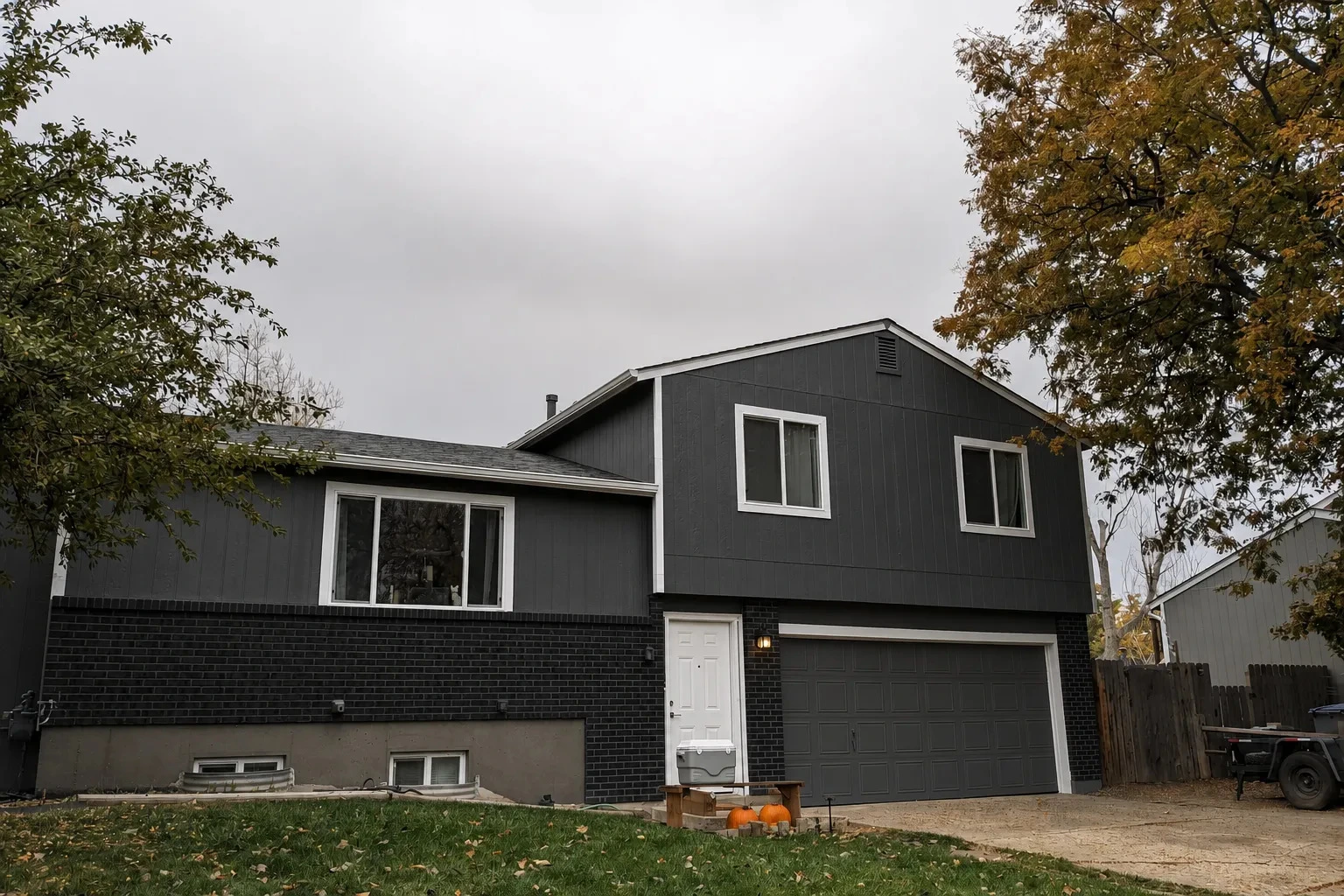
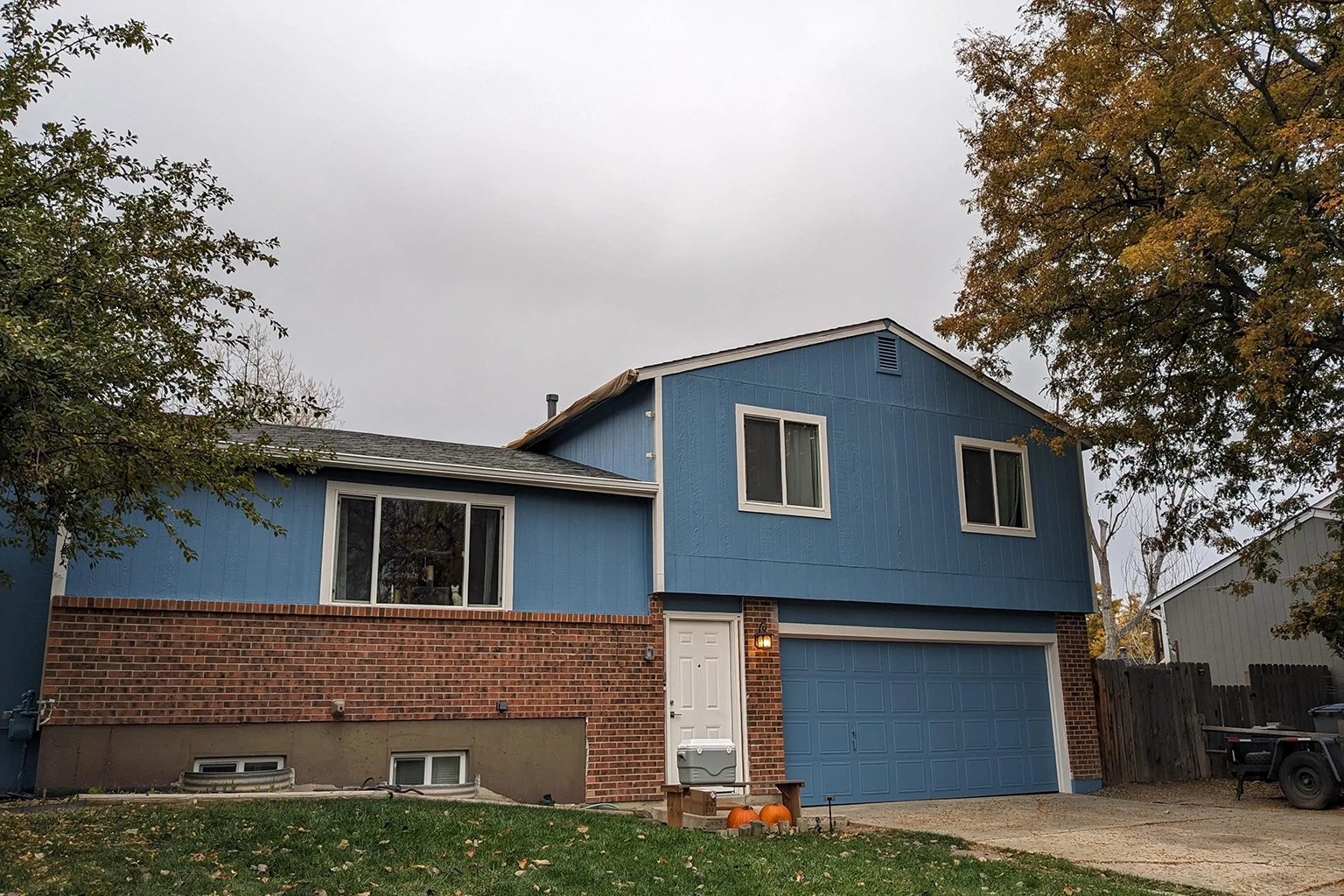 Before
After
Before
After
Exterior
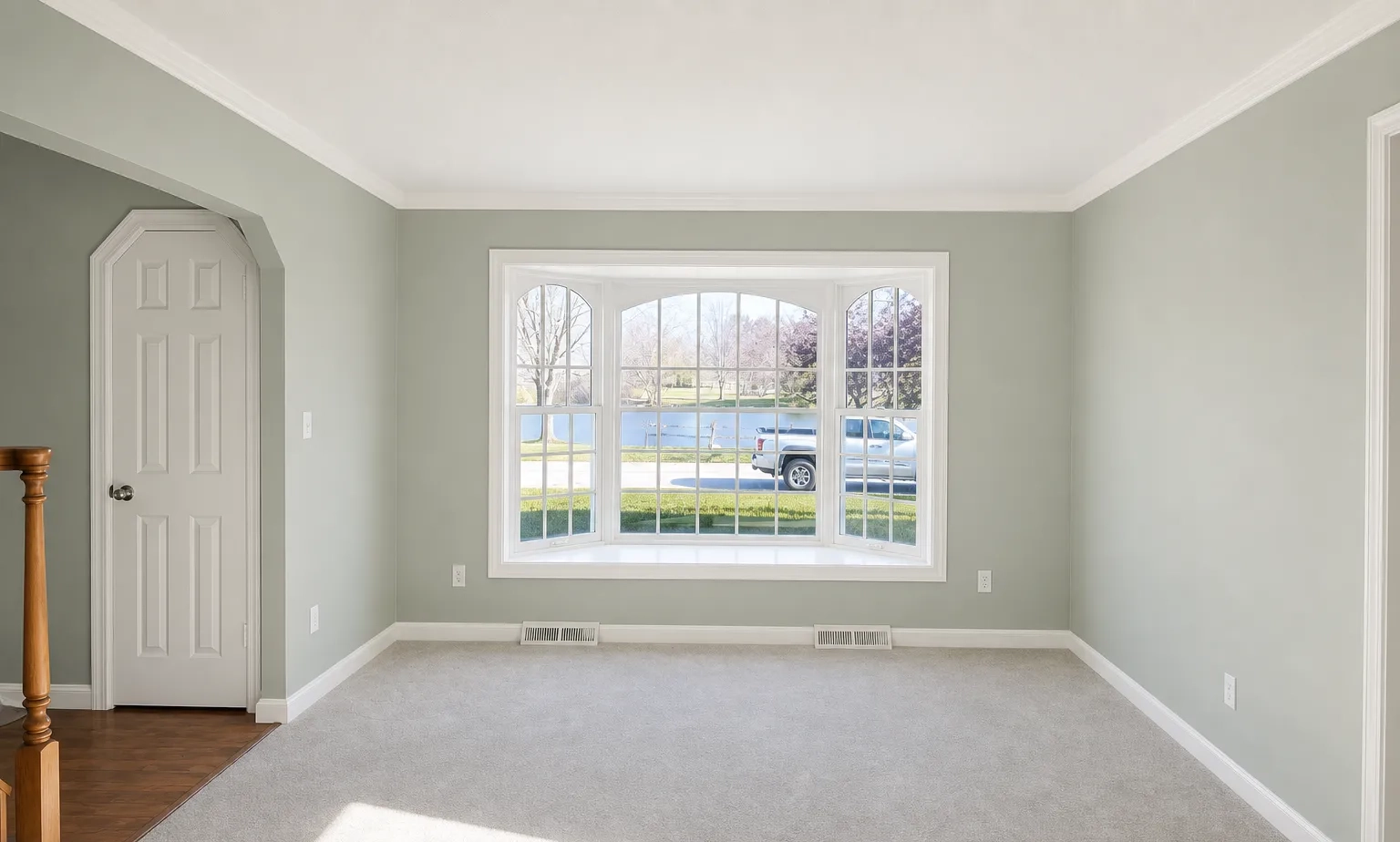
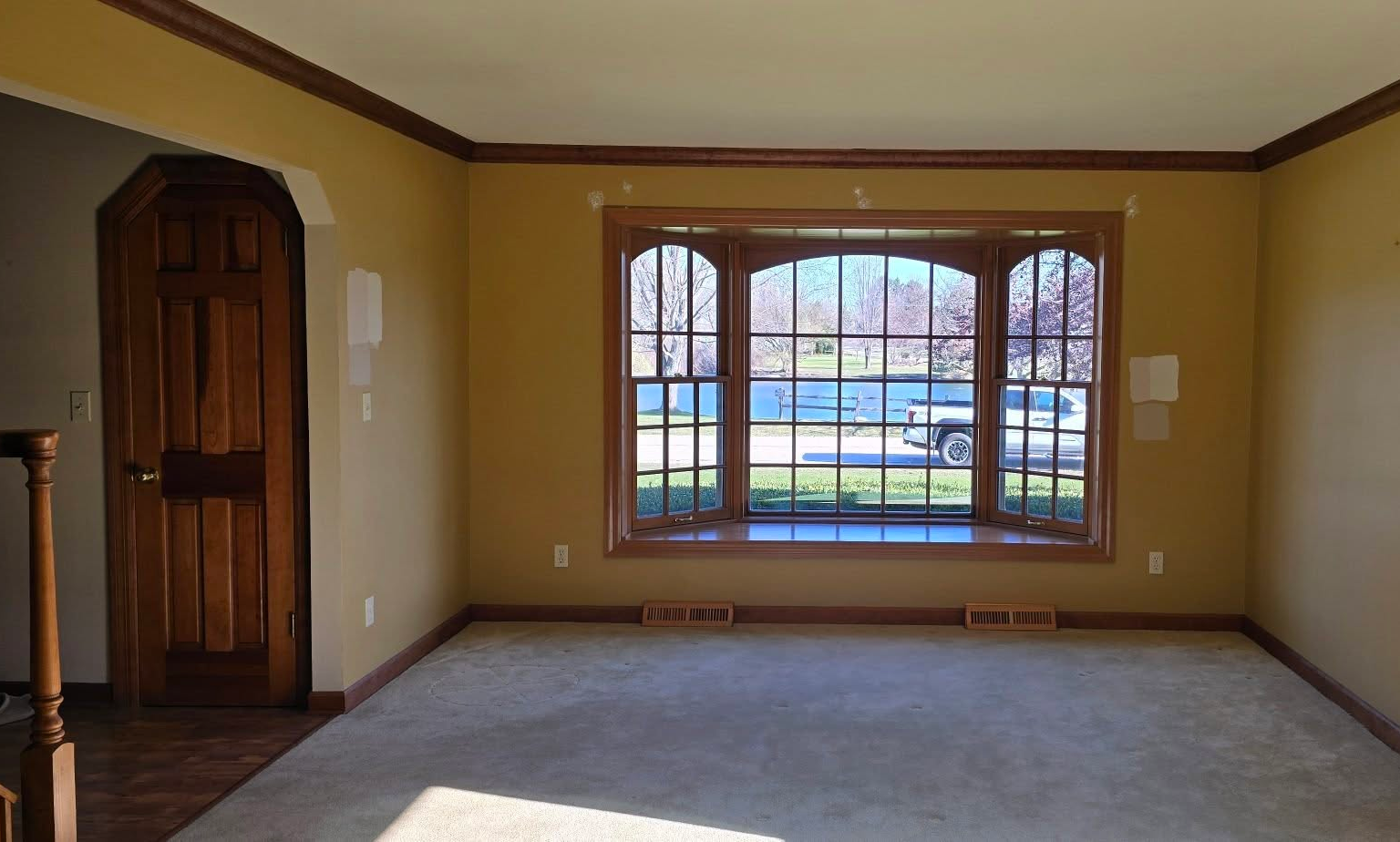 Before
After
Before
After
Interior
AI Visualizer
Snap a photo of the house, pick the new color, and the AI Visualizer builds a realistic preview in seconds. Your customer sees their own home transformed, so they can say yes with confidence instead of guessing from a tiny paint chip.
Before
After
Fast Estimates
Add your services, set your pricing, and send a polished estimate before you have even left the customer's driveway. No more quoting from memory on the back of a business card.
Estimate Sent
Sent to John Smith via SMS and email
Automated & AI Follow-ups
Every missed follow-up is a missed repaint. RynoSuite automatically follows up on outstanding estimates, and the AI-powered Ryno Assistant takes it further by uncovering forgotten quotes, highlighting revenue opportunities, and helping you win more work.
Deposits & Payments
Require a deposit to lock in the job and cover your paint and materials up front. Customers approve, sign, and pay online in one step, so you are never financing someone else's repaint. Send the balance when the job is done and get paid faster with automated payment reminders.
Deposit Received
Review Booster
The moment a customer pays an invoice, RynoSuite asks them to rate the job, so you hear how it went while it's still fresh. Happy customers can post their review to your Google Business profile in a tap, and any concerns come straight to you so you can make them right.
It's a simple, built-in way to grow the public reviews that win you the next job, without bolting on another tool or chasing customers for feedback by hand.
"The color came out exactly like the preview. The whole house looks brand new."
Dana R. · Google Review
"Clean lines, no mess, and done on schedule. Best painters we have hired."
Marcus T. · Google Review
"Great communication from the quote to the final coat. Will hire again."
Sarah K. · Google Review
The simple 4-step process painting contractors use to win more jobs.
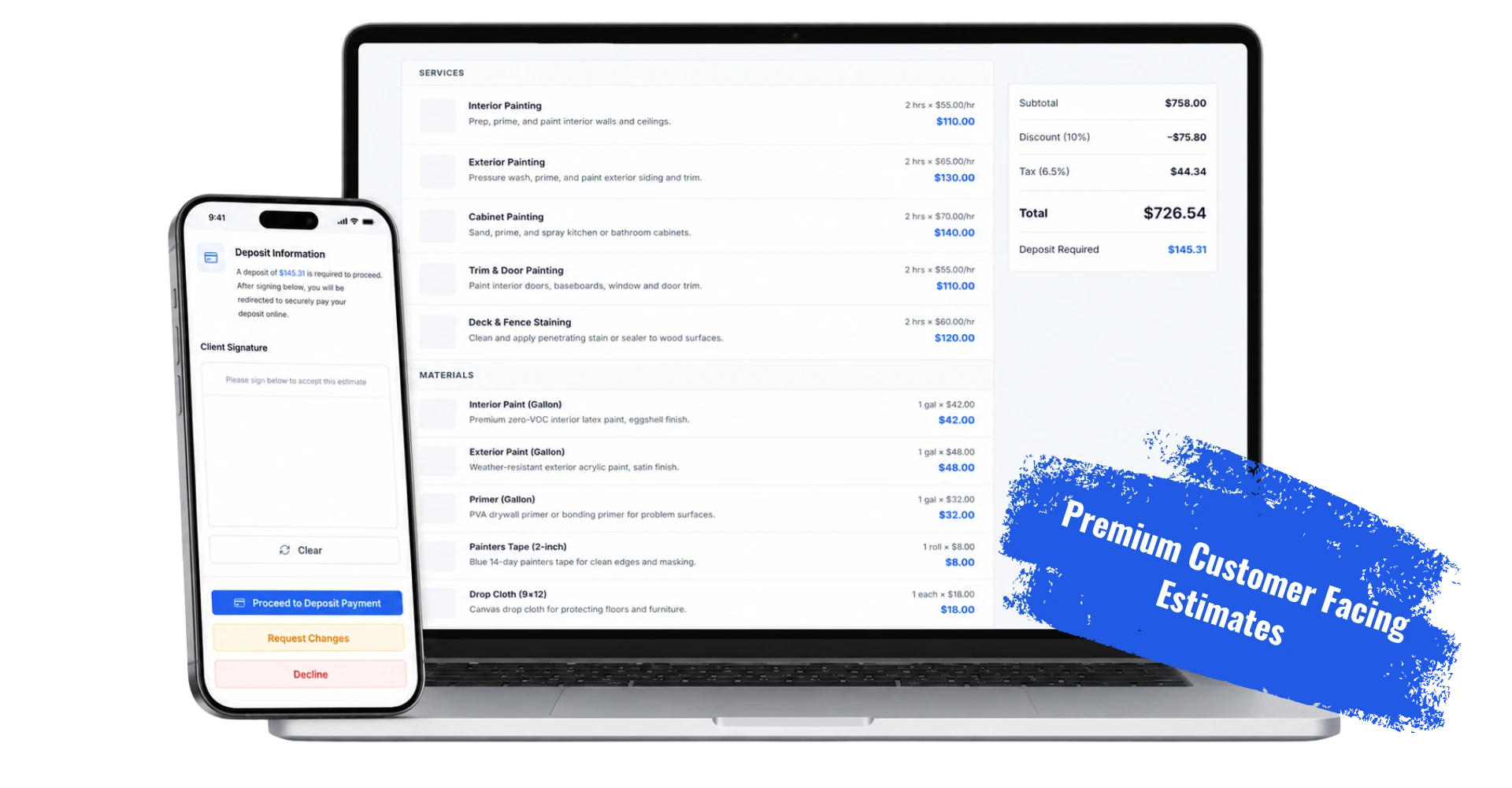
Everything you need to send professional estimates, schedule, and get paid, on every device.
14 day free trial · Plans start at $39/mo for solo operators
No credit card required · Cancel anytime
Painting software helps painting contractors manage estimates, scheduling, crews, invoicing, payments, and job records from one place. Instead of juggling spreadsheets, paper quotes, and separate tools, painting businesses can run every project, from the first estimate to the final payment, in a single system built around the way painters actually work.
Most painting jobs start with a quote and live or die on it. Good painting software makes it easy to build accurate, professional estimates fast, with line items for prep, primer, coats, and trim, then collect a deposit to lock in the job. From there you can schedule the project, assign your crew, document the work with photos, and send the final invoice, all without the paperwork piling up.
RynoSuite is painting business software built for owner-operators and growing crews. From the AI Visualizer that shows customers the finished result before you start, to fast estimates, online deposits, project scheduling, and job photos, it gives painting professionals the tools they need to win more jobs, get paid faster, and run a more profitable painting business.
Answers to the questions painting pros ask most.
Yes. RynoSuite is field service management software designed for painting contractors, with fast estimating, deposits, project scheduling, crew management, and the AI Visualizer, built around the way painting businesses actually work.
The AI Visualizer turns a photo into a realistic preview of the finished paint job, interior or exterior, so customers can see the result before you start. It helps close more estimates by letting customers picture the finished look with confidence.
Yes. Build accurate, professional quotes in minutes with line items for prep, primer, coats, and trim, plus reusable templates and optional add-on services so you can upsell and win more jobs.
Yes. Collect a deposit online to lock in the job, then send the balance when the work is done. Secure online payments and automatic reminders mean you get paid faster and spend less time chasing money.
Yes. Schedule multi-day painting projects, assign jobs to your crew, and track who is doing what, so every project stays organized from start to finish.
Yes. Keep before, during, and after photos, job notes, and customer communication in one place for every project, so your team stays aligned and you have a record of the work.
Yes. RynoSuite works whether you paint solo or run multiple crews. Assign jobs, dispatch your team, and track every project, so the software grows with your painting business.
Yes. You can start a 14-day free trial with no credit card required, and cancel anytime. It is the easiest way to see how RynoSuite fits your painting business.